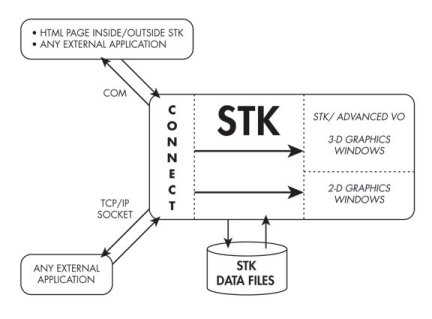
To communicate with STK using Connect commands from an external application or an HTML page, you can use:
- A TCP/IP connection to send Connect commands over a specified port. The default port for this connection is 5001, but you can change it by selecting Edit
-> Preferences and choose the Connect page. - The COM interface to STK (see the Integration Help System) to send Connect commands directly to STK without communicating through a port.
Sending asynchronous connect commands to STK is not supported over COM.