STK ModelCenter Plugin Settings
In Ansys ModelCenter®, when you choose to add the STK ModelCenter Plugin to your model, you will see this dialog box:
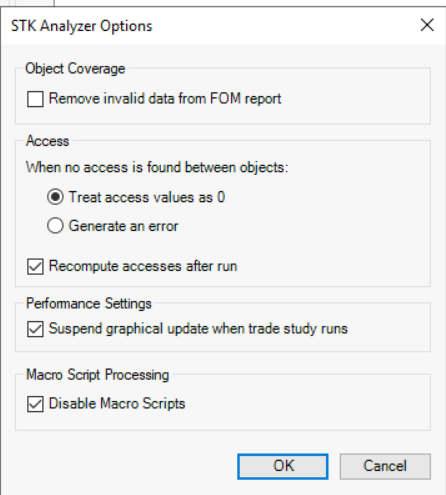
This figure shows that the STK ModelCenter Plugin supports the following settings:
| Setting | Description |
|---|---|
| Remove invalid data from FOM report | Select this check box to remove items with invalid data from the Figure of Merit report. |
| When no access is found between objects |
For the case of Ansys Systems Tool Kit® (STK®) software finding no value for an access object, choose one of the following options:
|
| Recompute accesses after run | If you select this check box, STK software will recompute accesses after you run a trade study. |
| Suspend graphical update when trade study runs | Select this check box to tell the STK application not to update 2D and 3D Graphics windows as a trade study is running in the ModelCenter application. For complex STK models, it's possible that such graphical updates could greatly increase the amount of time a trade study takes to run. |
| Macro Script Processing | Select this check box to disable the use of macro scripts for your analyses.. |