Importing Data From a Database
The Database Importer enables you to import data from a database, which can then supply the data for a Data Reader Plugin. The data will be written to an XML file with a .tedb extension.
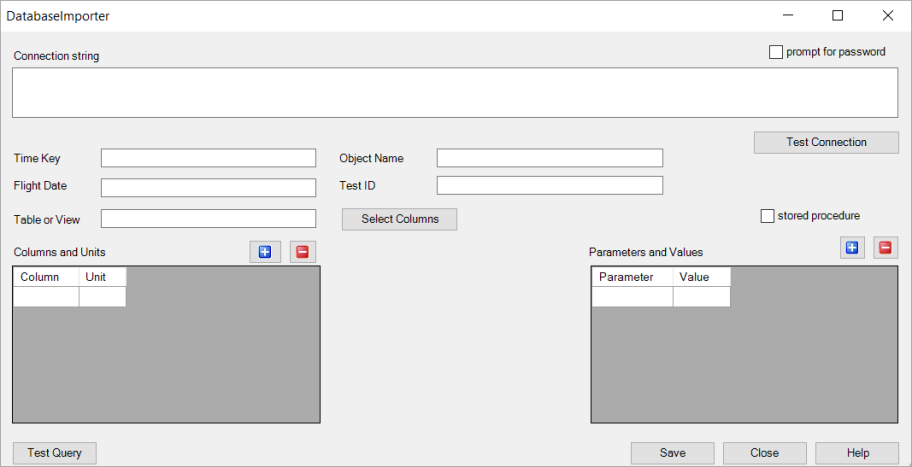
The table below describes the available fields and buttons on the Database Importer dialog.
| Field | Description |
|---|---|
| Connection String | Enter an OLEDB or ODBC connection string value. If you are unsure about your connection string value, contact your database administrator. |
| Time Key | Enter the column name with the time. |
| Flight Date | Enter the start time for the data. |
| Table or View | Enter the name of the table or view. |
| Select Columns | Click to display the available columns in a dialog, which enables you to then select the ones that you wish to include. |
| Columns and Units |
Enter the column names and the units for the columns. If you are unsure of the column names, click to view and select them from a dialog. Click |
| Parameters and Values | To retrieve data from the database via a stored procedure, enter the parameters and values of the procedure. Click  to add additional parameters. Click to add additional parameters. Click  to remove the selected parameter(s). to remove the selected parameter(s). |
When finished, click to create the .tedb file. You can then use the standard , , or buttons in the Data Source Importer to load the .tedb file.