Track Time Animation
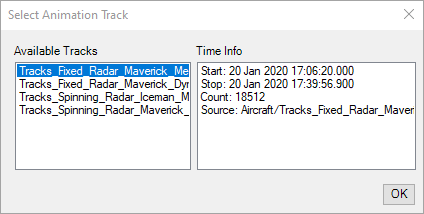
Time array animation mode enables you to animate a scenario by the exact times found in a time array instead of using a fixed time step our your computer clock. Test and Evaluation Tool Kit enables you to easily select the time array of tracks that have been promoted to an STK object.
To animate by the time array, use the Track Time Animation toolbar button ( ) and select the promoted track to use its time array for animation.
If you had a previous version of Test and Evaluation Tool Kit installed, it may be necessary to refresh your toolbar. Right-click the toolbar, select Customize. In the Customize dialog, select the Animation toolbar and click the button labeled Refresh. Repeat this process with the Test and Evaluation Tool Kit toolbar.
When using Time Array animation mode with high-precision times, it may be necessary to modify your settings. See Date Handling for more information.